Designing a Digital Assembly Line Management System
Role
Lead Product Designer
Scope
Industry 4.0, Operational UX, Dashboard Design
Duration
2021
Summary
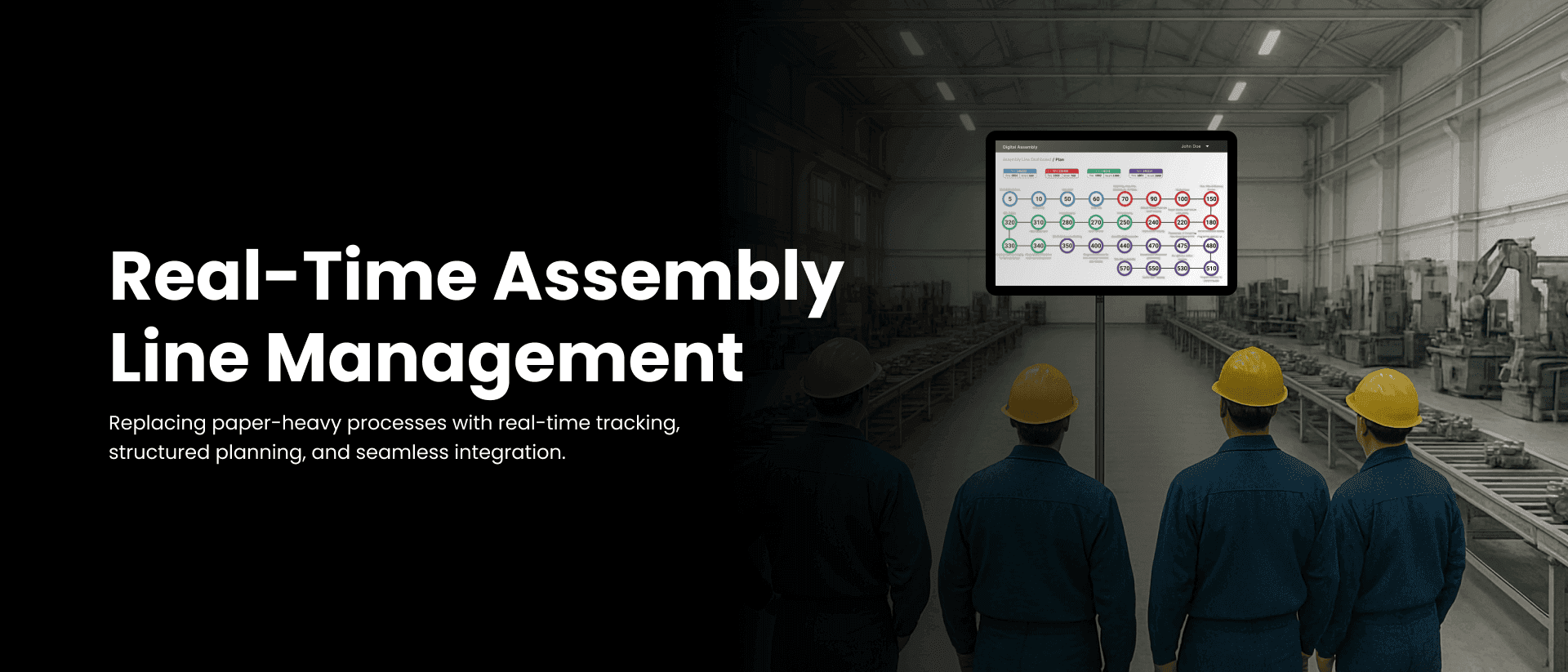
We designed and developed a full-scale digital system to manage, monitor, and optimize the assembly of automotive pumps for a large manufacturing partner. The tool enabled structured planning, real-time tracking, component mapping, and process validation—while integrating seamlessly with existing ERP/MES systems.
Business Impact
95% reduction in paper-based operations, lowering costs and errors
100% traceability of components and operator actions
Eliminated bottlenecks by enabling visibility into production delays in real time
Adaptable to multiple pump types without redesigning the system
Minimal operator training required thanks to high-contrast, intuitive interfaces
Plant received multiple industry awards for digital transformation leadership and operational improvements
Context & Problem
The factory's assembly line relied on manual and paper-heavy processes to manage pump production. This led to several critical issues:
- •Lack of real-time visibility on what was happening at each station
- •Difficulty in identifying production bottlenecks and delays
- •Inconsistent assembly due to non-standardized instructions
- •Manual errors and time-consuming data re-entry
- •Poor traceability for audits or defect recalls
- •Friction in adapting workflows for multiple pump designs and variants
Design Challenges
1. Low-tech environment with distant, small monitors
Operators worked in high-noise, physical environments with small screens mounted on walls or machines. This required:
- Large font sizes & High-contrast UI
- Minimal UI clutter & Clear, icon-driven interactions
- Keyboard-only operability in many cases
*The following images are AI-generated representations that closely mirror the actual factory environment and working conditions we encountered during this project.
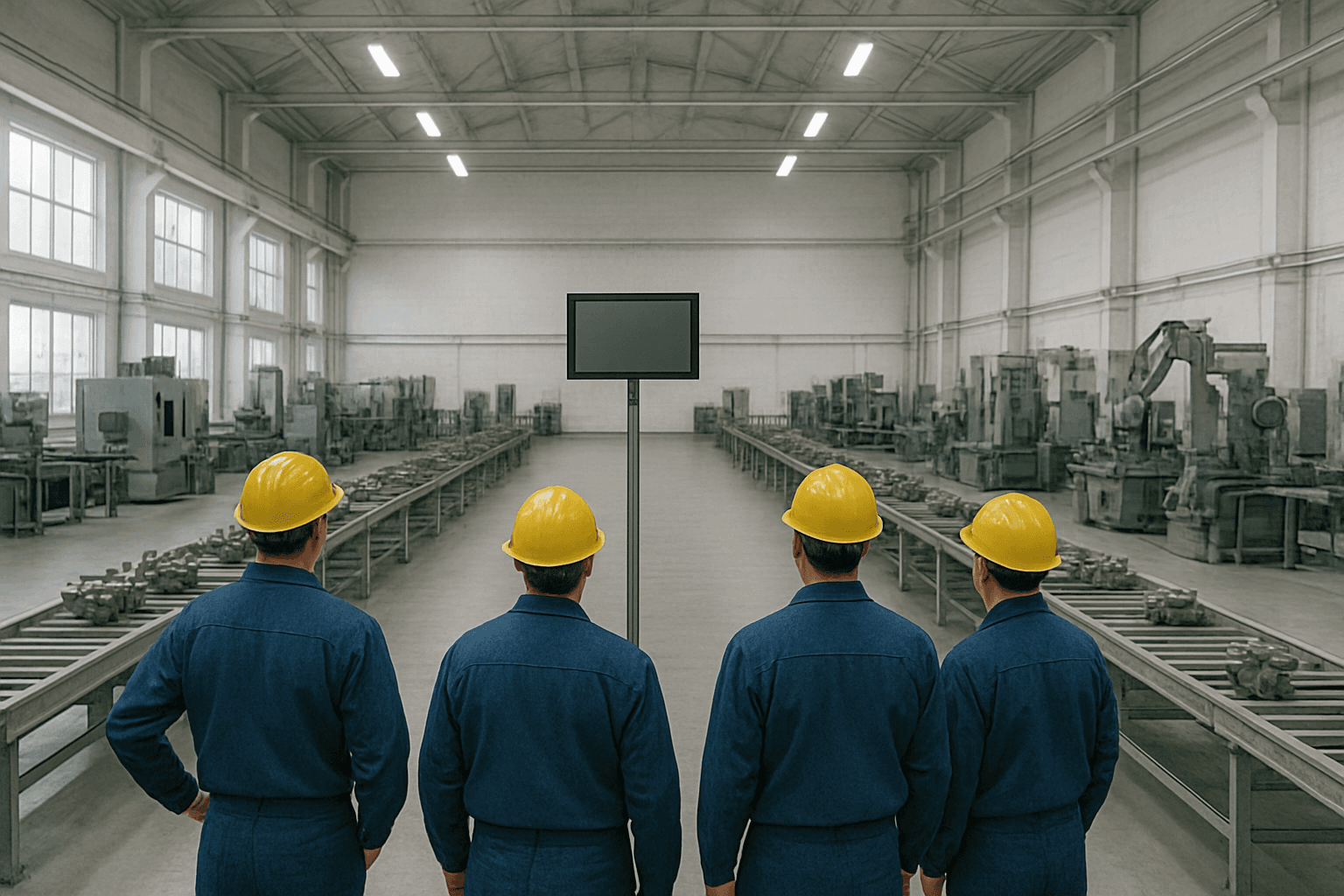

Distant, small monitors requiring high-contrast UI for visibility
Operators with oily hands requiring keyboard-only interactions and large touch targets
2. High variance in product types
Each pump model had a different sequence of stations, different parts, and sometimes custom test logic. Instead of redesigning the flow for every variant, we:
- Built a modular configuration system
- Allowed each product type to have its own sequence, BoM, and checklist logic
- Let supervisors upload and reorder plans per day and per line, dynamically
This meant the same software could support many different workflows without code changes.
3. Operators with limited digital literacy
The workforce had minimal exposure to tech-heavy tools. We focused on:
- Familiar UI patterns & Auto-filled fields where possible
- Contextual prompts and validations
- Training materials that mirrored actual screen flows
UX Strategy
🧭 Structure Aligned with Factory Workflow
The information architecture mirrored how work happened physically and mentally. Instead of forcing a new structure, we mapped the digital system to match existing factory processes:
- Products and assembly lines were organized exactly as they existed on the factory floor
- Sequences followed the same order operators were already familiar with
- Component mapping reflected the physical BOM structure
- Status tracking mirrored the visual checks supervisors performed manually
This approach reduced training time and made the transition from paper to digital feel natural rather than disruptive.
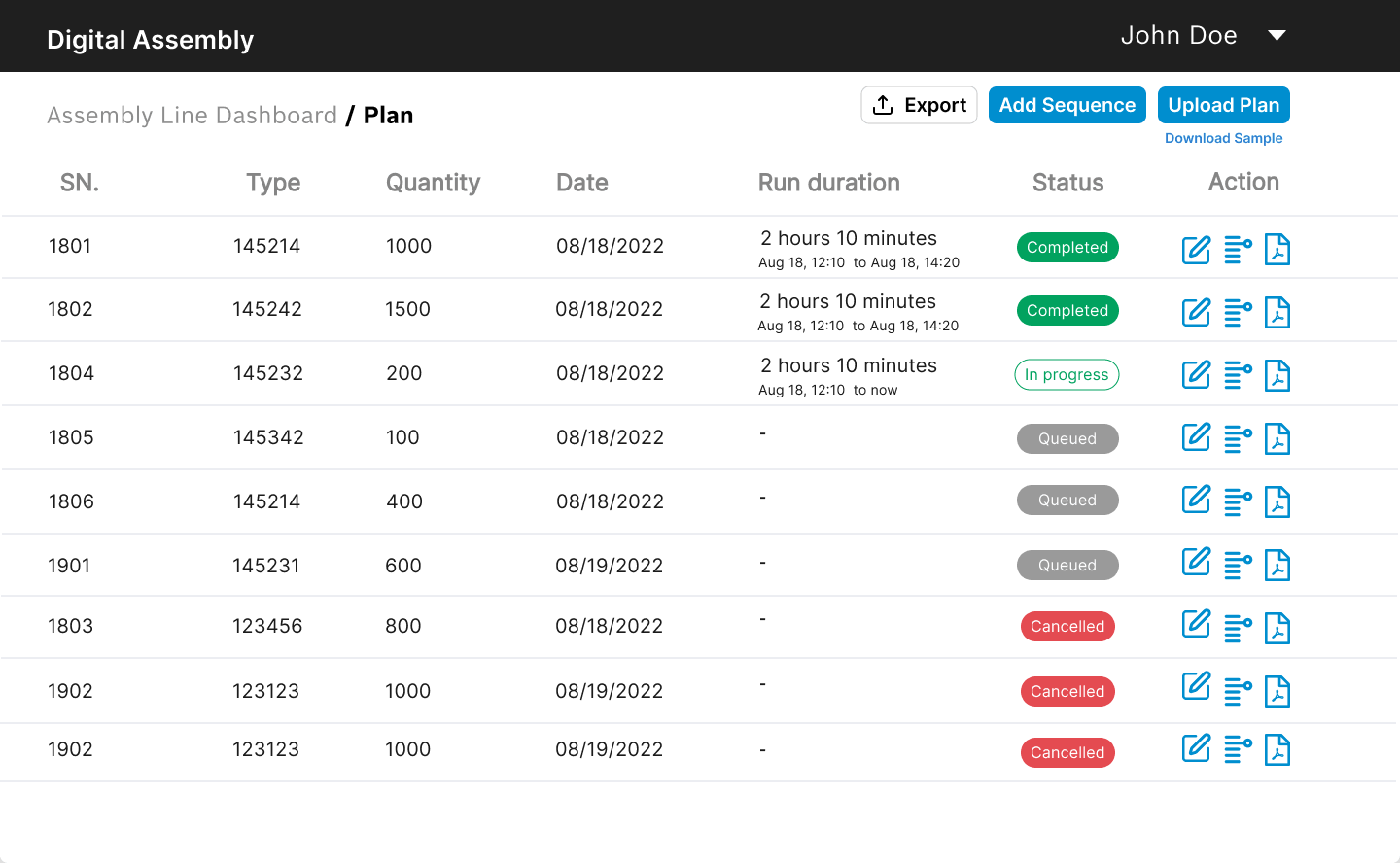
🔧 Plan & Sequence Management
Supervisors could:
- Upload Excel-based plan sheets
- Add, edit, reorder sequences
- Filter by date, product type, or status
- Track execution live and download logs
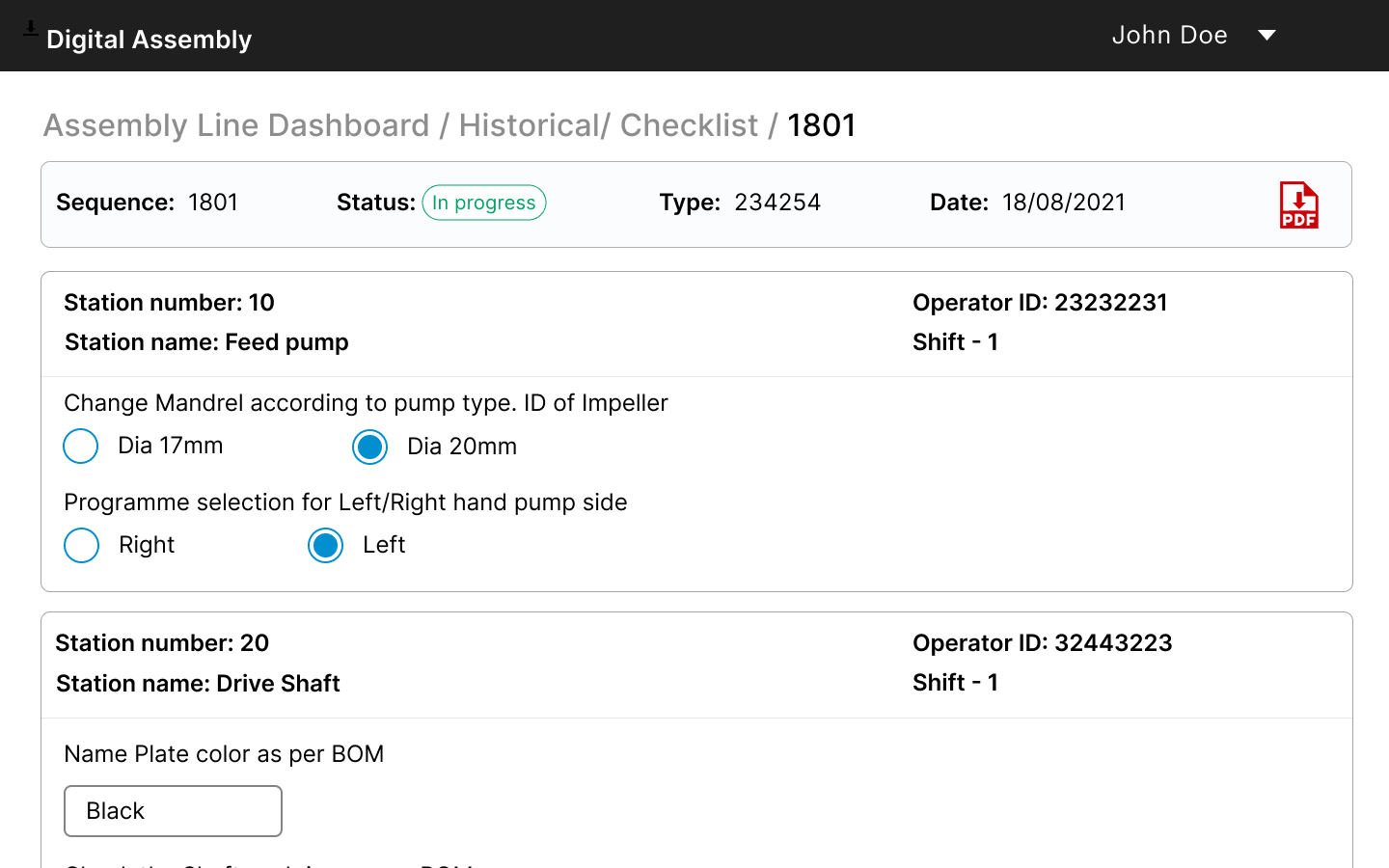
📋 Checklist & Validation System
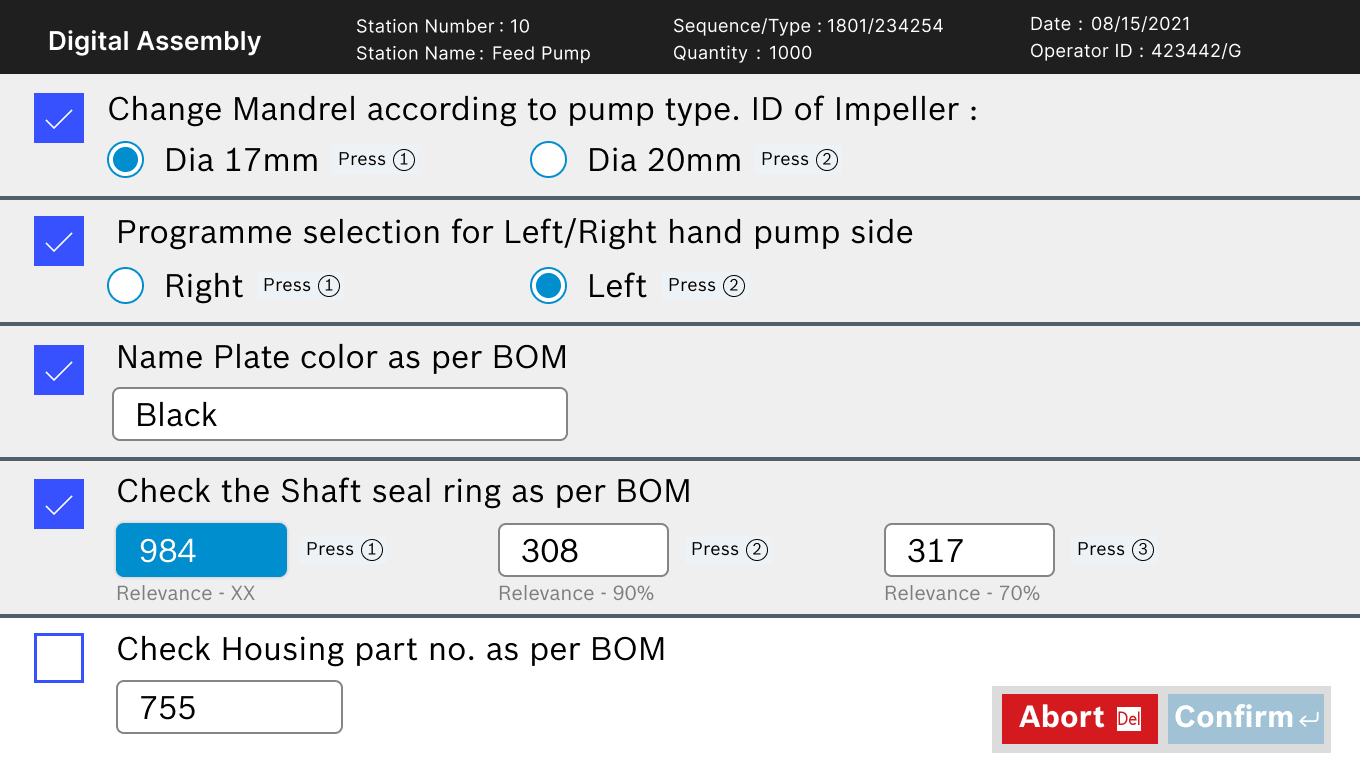
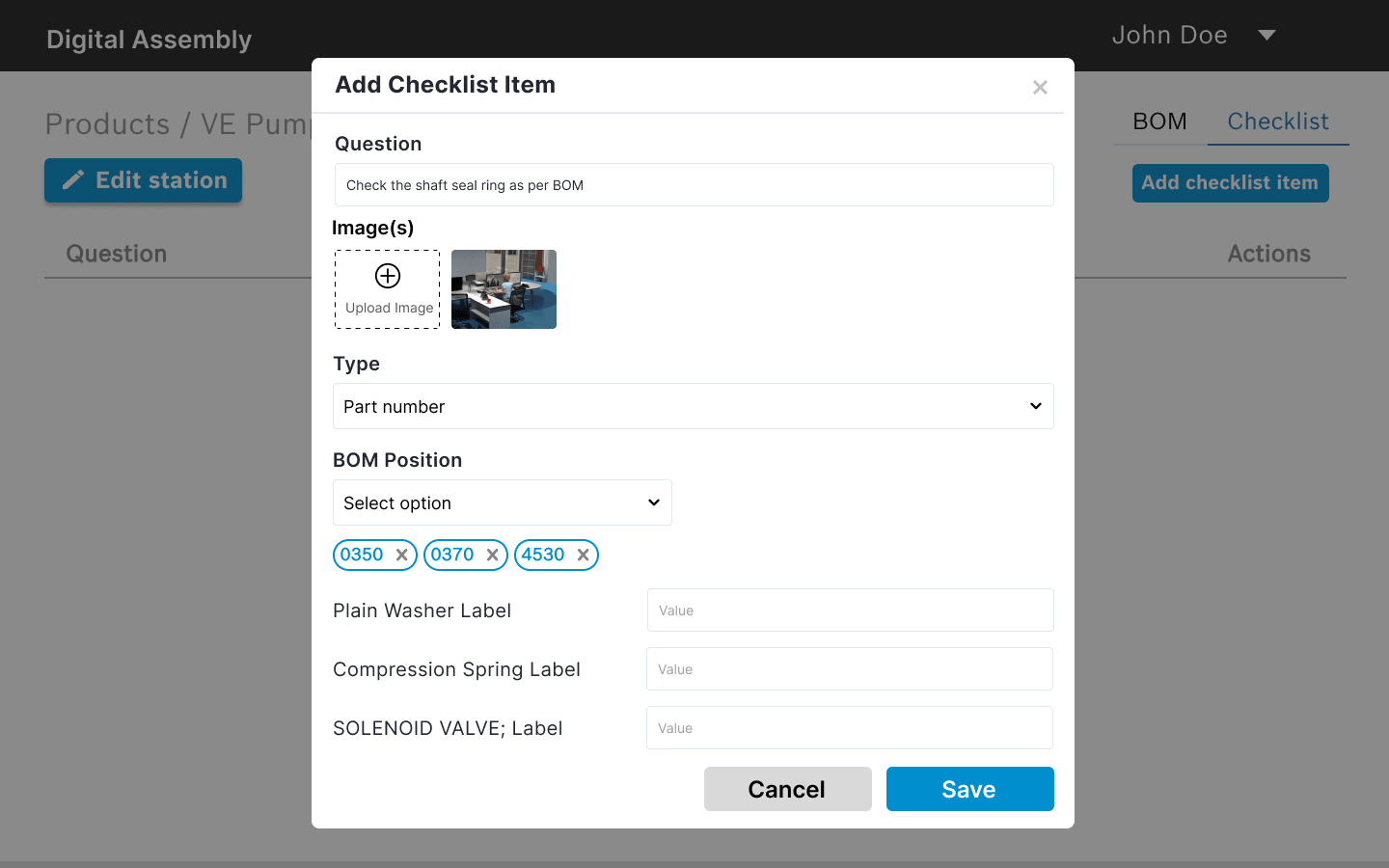
Station operators had to complete dynamic setup checklists before starting. Checklists were mapped to BoM or derived via logic (e.g., pump type, cylinder count) and supported multiple input types.
🔄 Bottleneck Detection
Each sequence had status tracking at every station. This enabled real-time alerts for stuck or delayed steps, allowing QA teams to investigate issues faster and supervisors to reassign work dynamically.
Visual & Interaction Design
| Principle | Implementation |
|---|---|
| Clarity over decoration | High contrast UI with large text and icons |
| Operator-focused design | Minimum clicks, repetitive workflows remembered |
| Configurable backend | Dynamic logic for different pump types without code changes |
| Live data sync | Seamless updates to all stations and logs |
| Role-based access | Clear separation between operator and supervisor tools |
Deliver (Key Screens & Features)
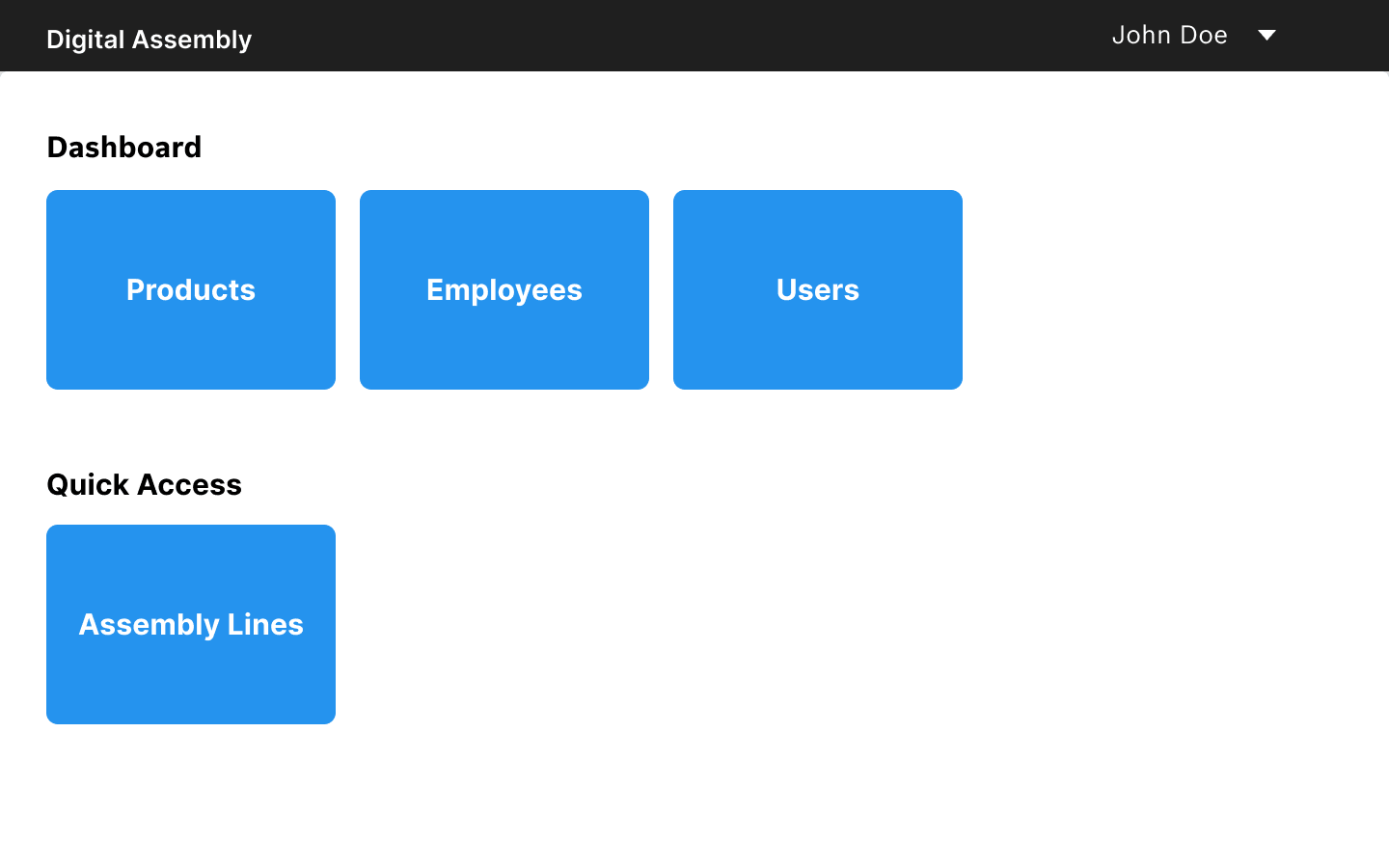
🏠Dashboard
Simple entry point for Products, Assembly Lines, Employees, Users.
📑Plan & Sequence
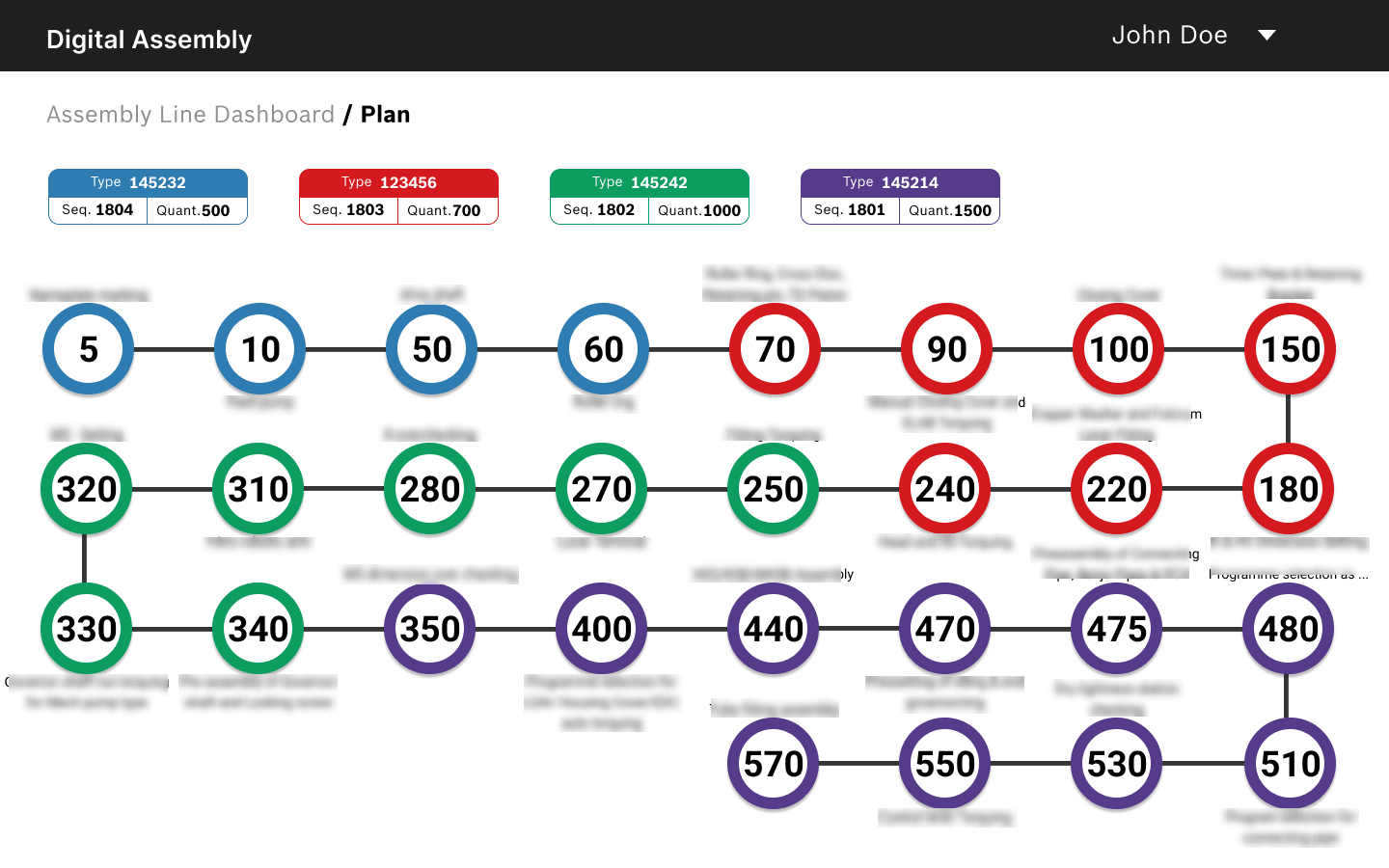
Supervisors upload Excel sheets, reorder jobs, monitor progress.
⏱Realtime View
Live status of every station, color-coded alerts for delays.
🛠Station Setup & Checklists
Operators complete guided checklists before starting work → fewer errors.
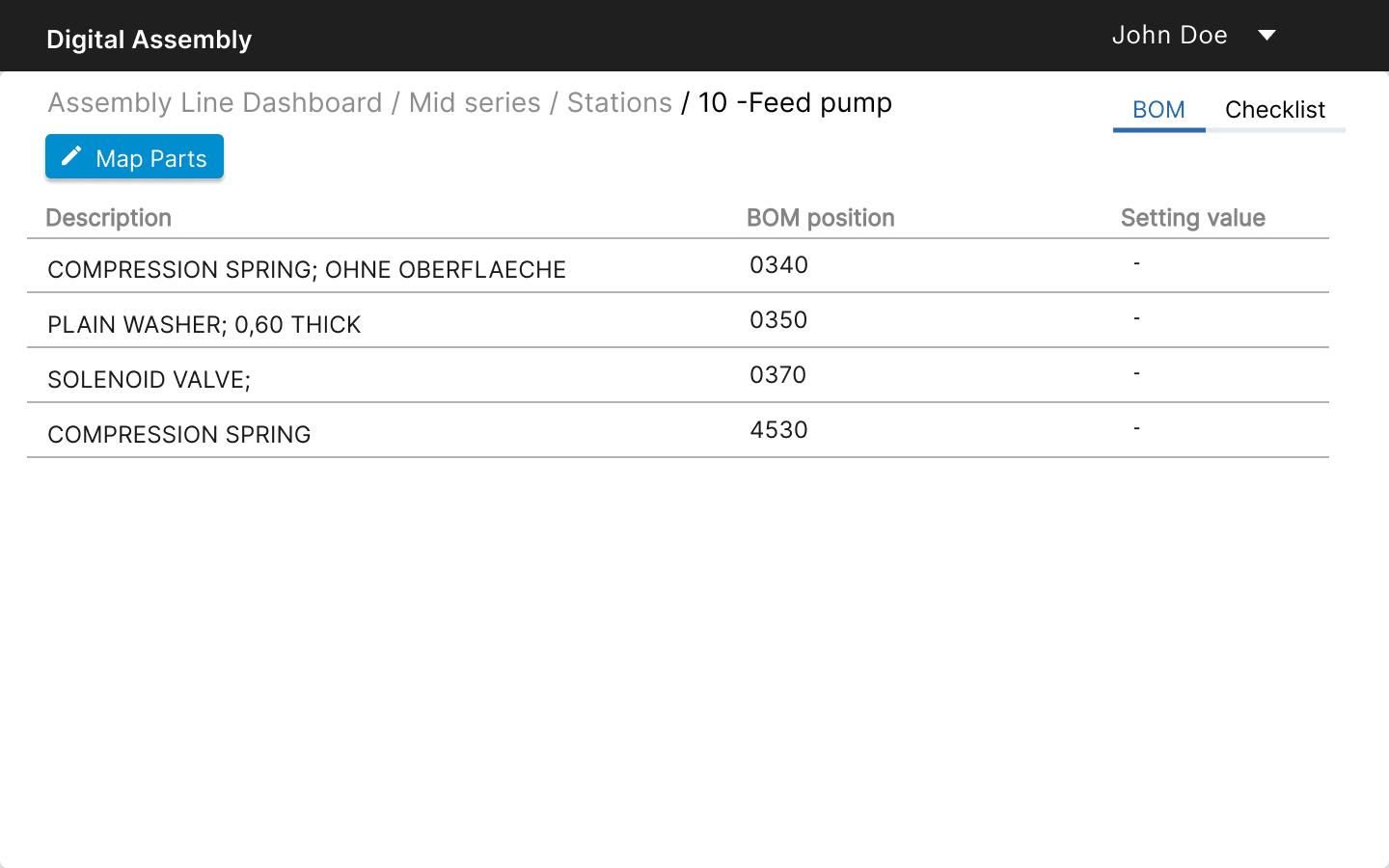
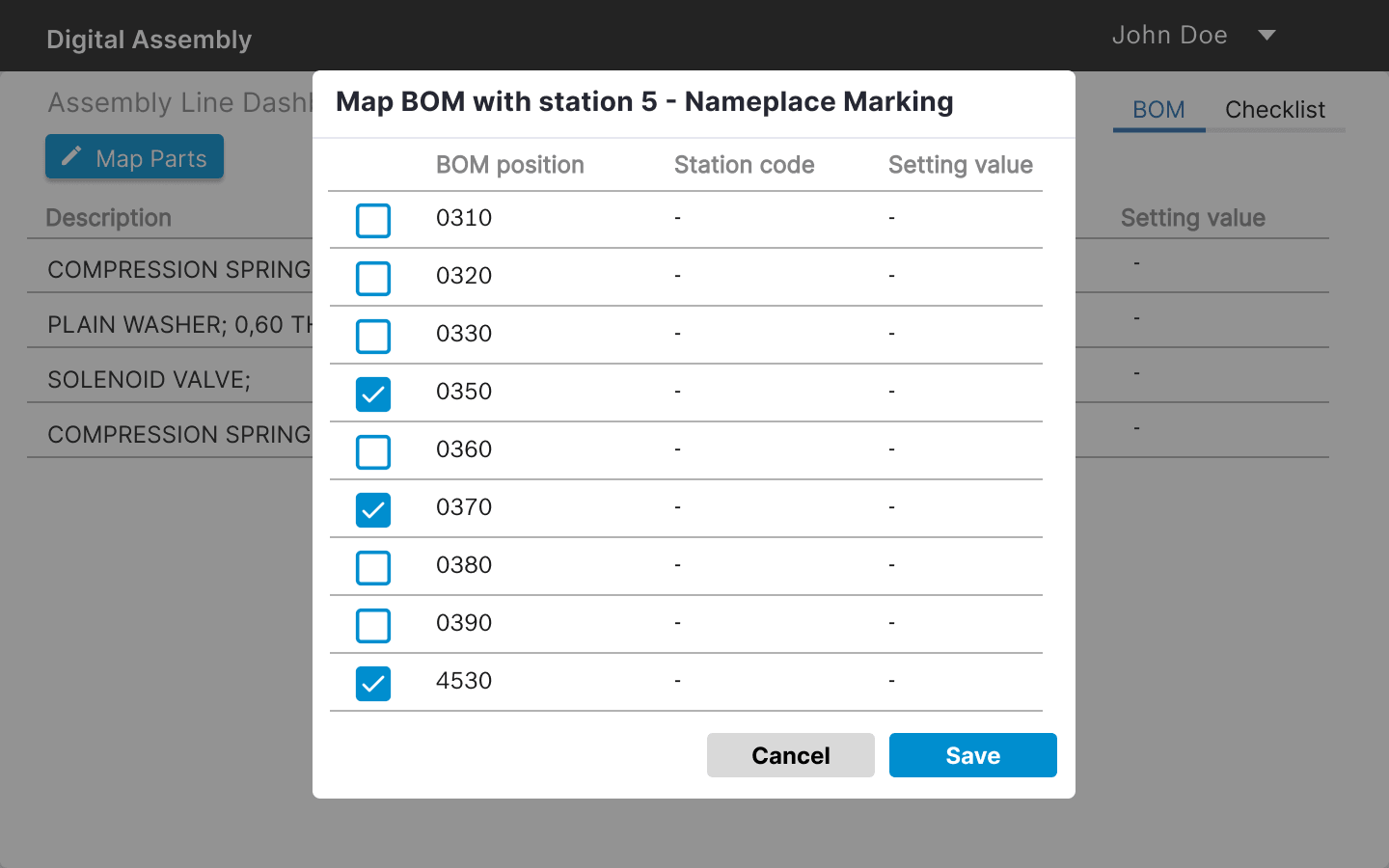
📦BoM Mapping
Supervisors map parts visually to stations.
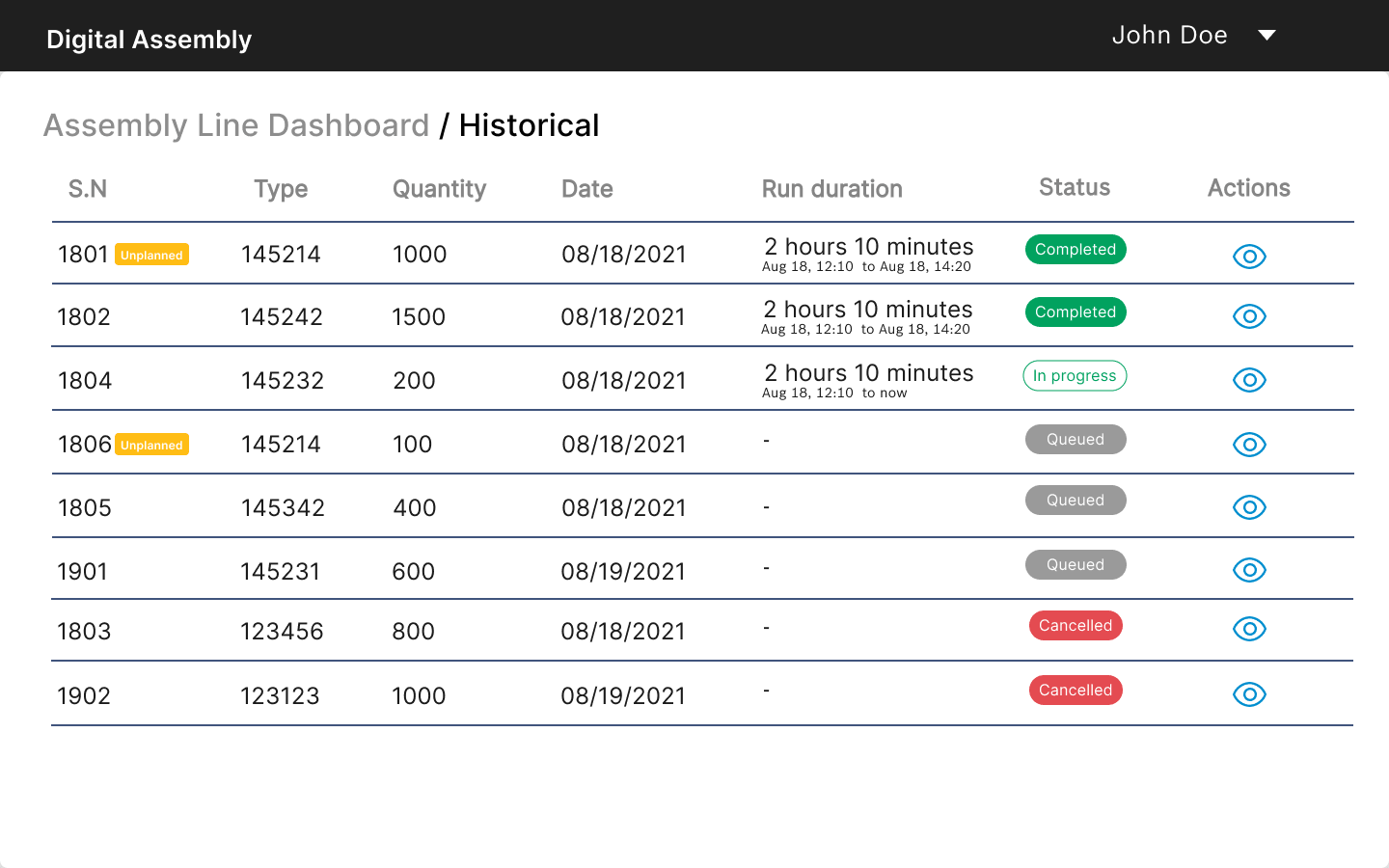
📚Historical Logs
QA teams access full traceability, export checklists on demand.
Learnings
- •Manufacturing UX demands real-world pragmatism over polish
- •Modularity at the system level saves huge engineering and design costs later
- •Even highly resistant environments can adopt digital workflows—if designed with empathy
- •Contrast, size, and speed matter more than style in industrial UI
Project Impact & Future
The success of this digital assembly line management system opened doors to **multiple additional projects** with the manufacturing plant. Our proven approach to industrial UX design and system architecture became the foundation for expanding their digital transformation across other production lines and processes.
Explore More Projects
Check out some of my other work


Let's Create Something
Extraordinary
I'd love to hear from you. Whether you want to connect, collaborate, or just say hello—feel free to reach out.