Solving AI Workflow Issues for Content Teams
I noticed a bottleneck. I built a tool to fix it.
Role
Lead Product Designer
Scope
Internal Tool, AI Automation, MVP Development
Duration
2022
Background
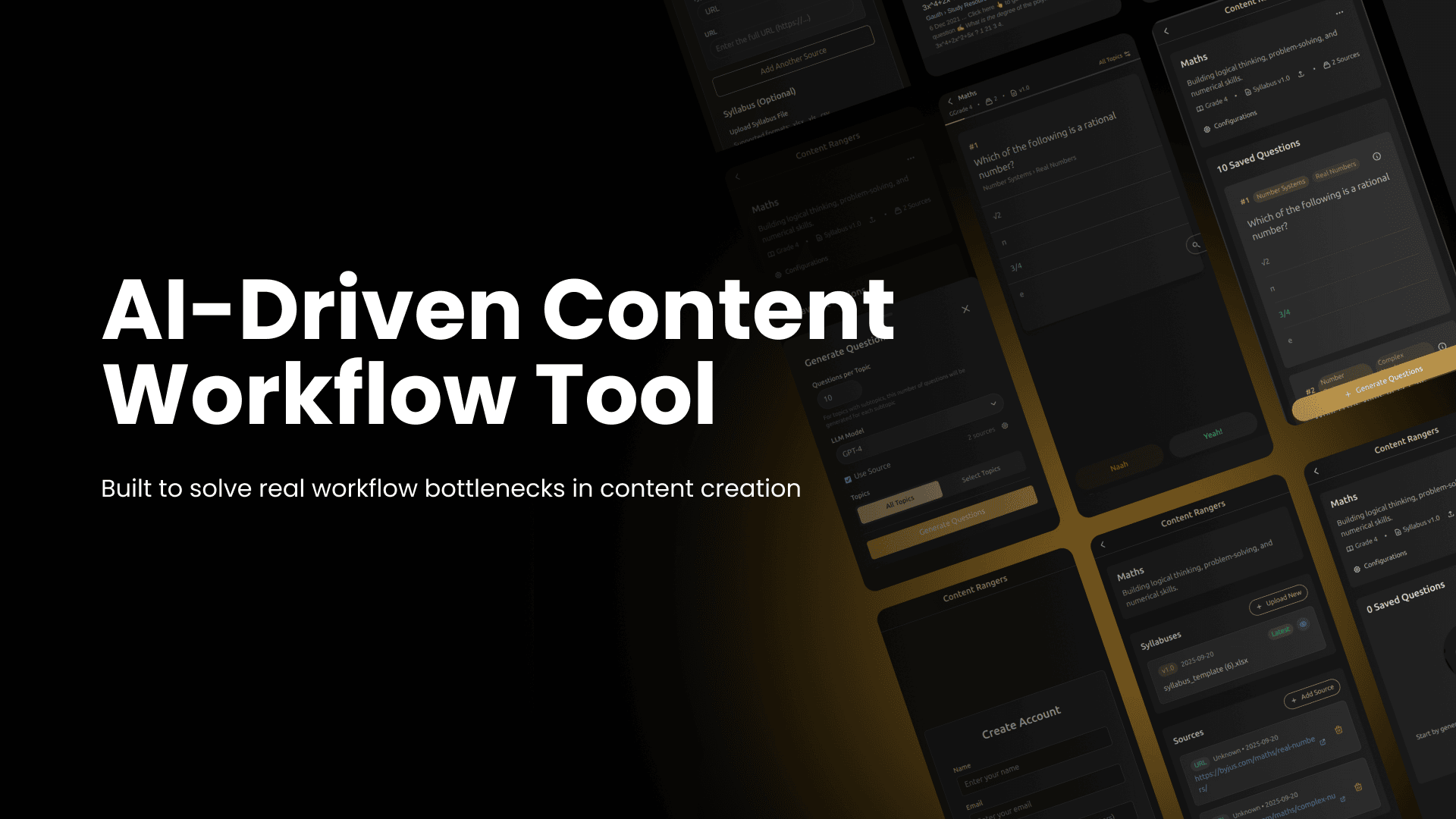
Our learning platform's content team creates quiz-based learning material (MCQs) for students. To speed up content creation, they used AI tools like ChatGPT, but their workflow had many problems that made the process inefficient and mentally draining.
The Problem
Even though AI was part of the process, it was still inefficient due to several workflow issues:
- Outputs were often not aligned with the syllabus
- Many repeated or similar questions generated
- Needed manual fact-checking and verification
- Depended on multiple tools: ChatGPT, Excel, Google, Docs
- High mental effort to manage the process end-to-end
- Prompts had to be manually crafted each time
- Users constantly switched between tools
- Accuracy of every question had to be checked manually
My Role & Initiative
When I observed this inefficiency, I decided to take initiative. At that time, I had just started vibe coding as a designer, and I wanted to test whether I could build a complete working MVP — not just UI, but including backend, API requests, database, and actual functionality.
**So I planned, designed, and built the MVP end-to-end solo.**
Key Responsibilities:
- • Designed full user flow and interface
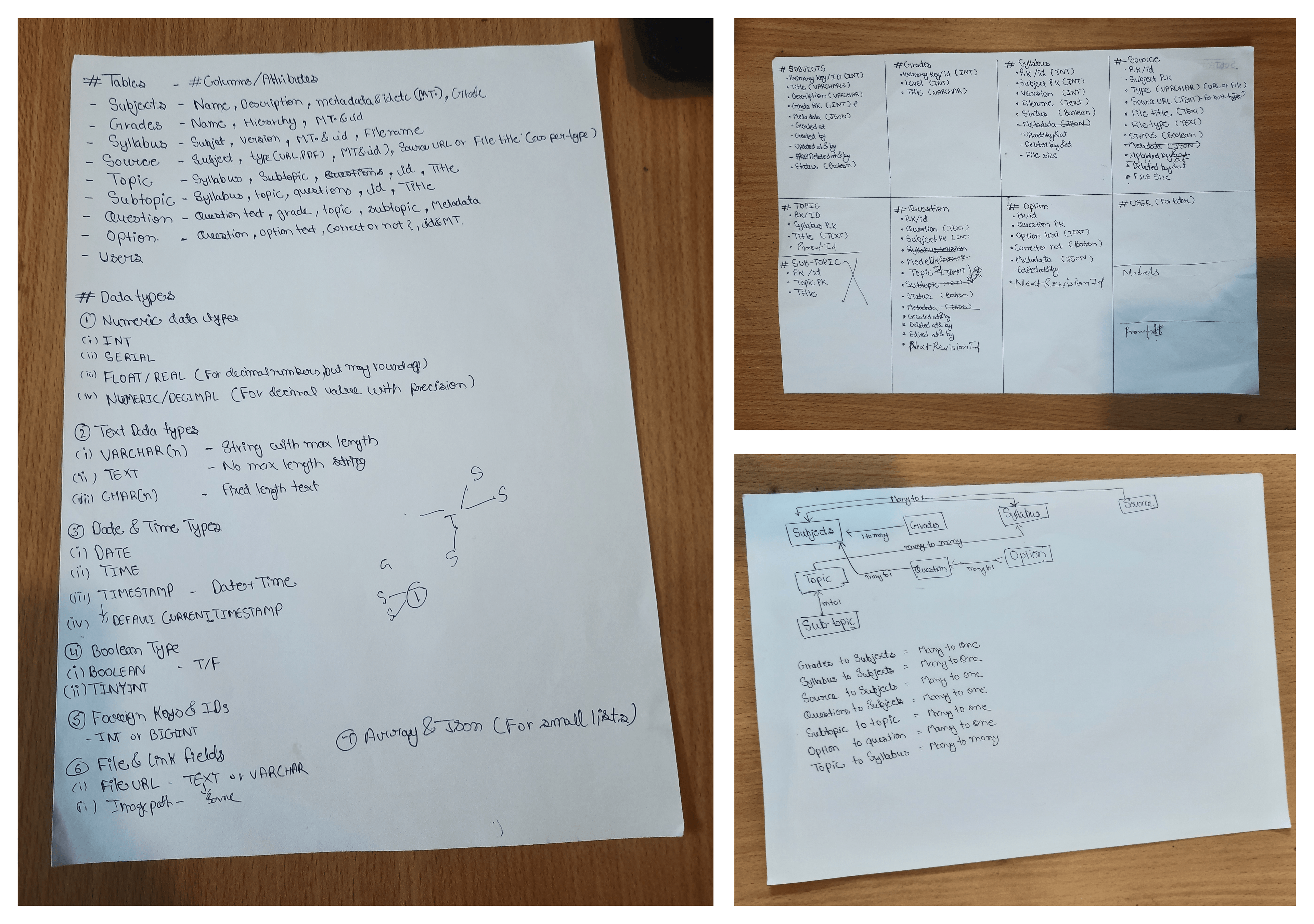
- • Planned the database structure (tables, attributes, normalization basics)
- • Got my schema verified by developers
- • Implemented the backend + frontend with AI integrations
- • Created internal prompt logic to ensure accuracy
- • Iterated and debugged errors until everything worked
The Goal
I wanted to build one single tool where the content team could:
- Internal Prompt System - Questions generated from subject + topic + source with controlled outputs
- One-Tap Review Flow - Save or discard questions with single tap, flagged items sent to manual review
- Swipe-to-Verify - Swipe gesture opens inline Google results for quick fact-checking
- UI for Long Sessions - Soft color palette optimized for extended review sessions
- Subject & Syllabus Creation - Structured content organization system
- Source Material Integration - Add books, text, and materials for AI reference
- Auto-Difficulty Assignment - Automatic difficulty level assignment by grade
- Duplicate Prevention - Eliminate duplication of generated questions
Key Features & Design
Internal Prompt System
Questions generated from subject + topic + source with controlled outputs to reduce repetition and syllabus mismatch. Users could extend prompts without writing them from scratch.
One-Tap Review Flow
Save or discard a question with one tap. Flagged items sent to manual review. Swipe gesture opens inline Google results for quick fact-checking without leaving the app.
UI for Long Sessions
Soft color palette designed to reduce eye strain and optimized for long review sessions that content teams typically work through.
Key Screens & Features
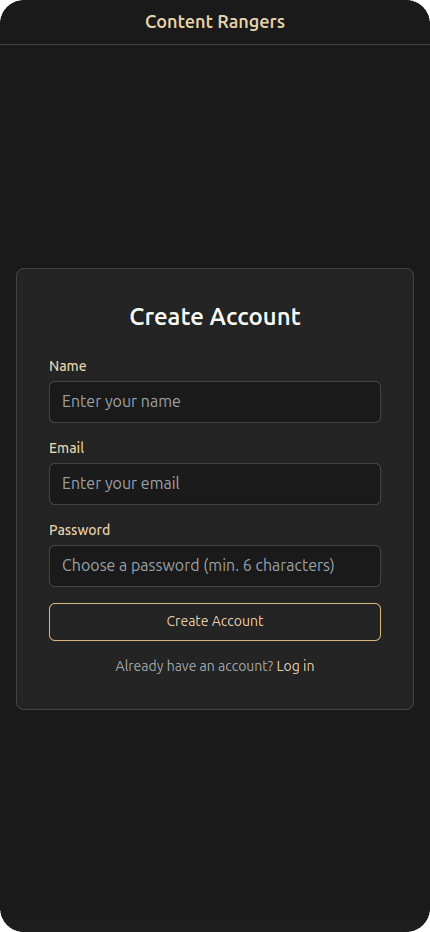
Signup & Onboarding
Clean and intuitive signup process to get content teams started quickly.
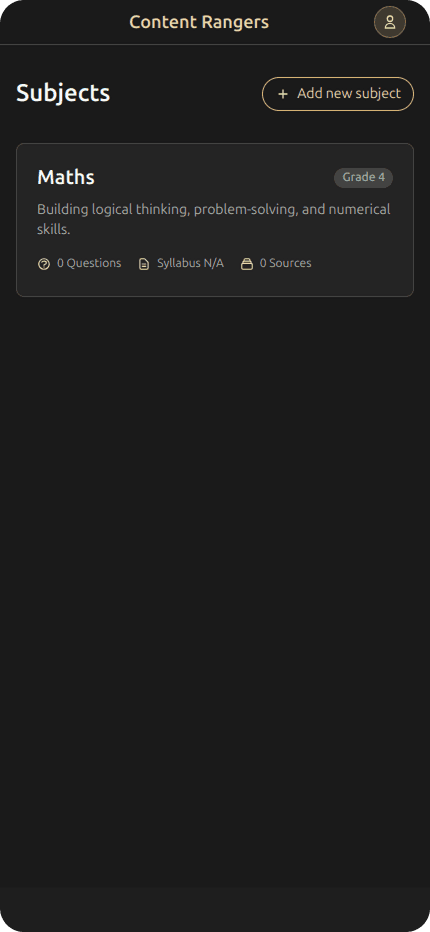
Home Dashboard (Empty State)
Welcome screen for new users with clear guidance on getting started.

Home Dashboard (With Content)
Main dashboard showing subjects, recent activity, and quick access to key features.
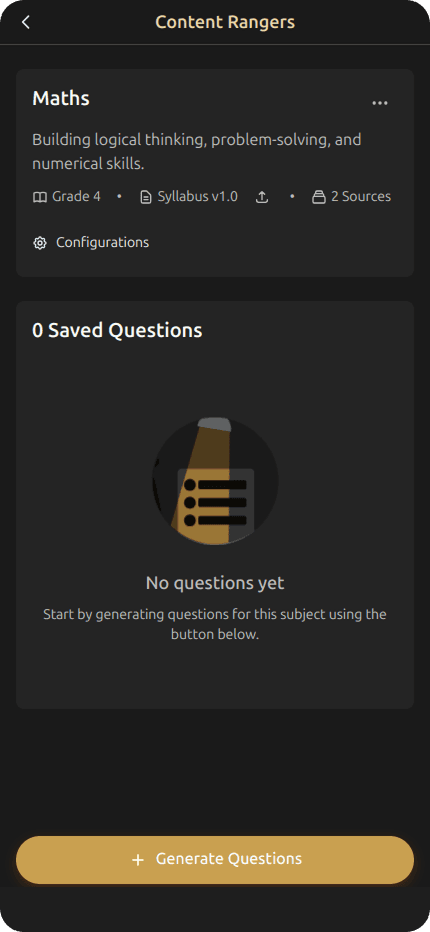
Subject Detail Page
Detailed view of a subject with syllabus structure and management options.
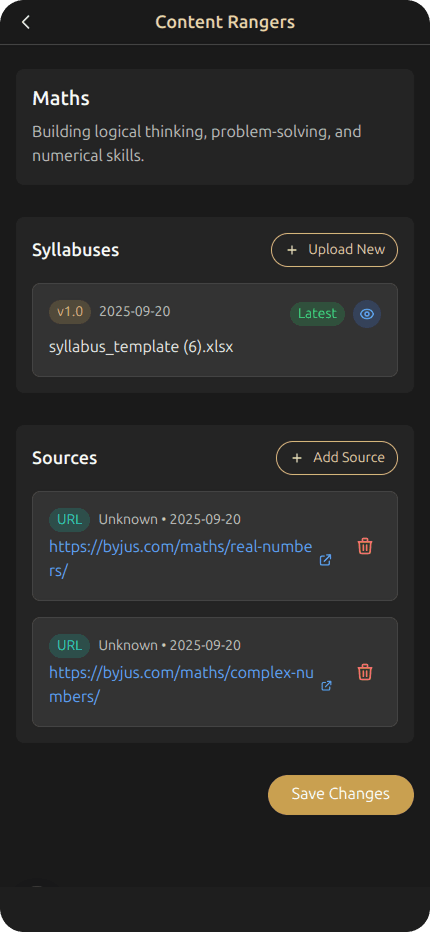
Subject Configuration
Setup and configuration interface for creating new subjects with structured syllabuses.
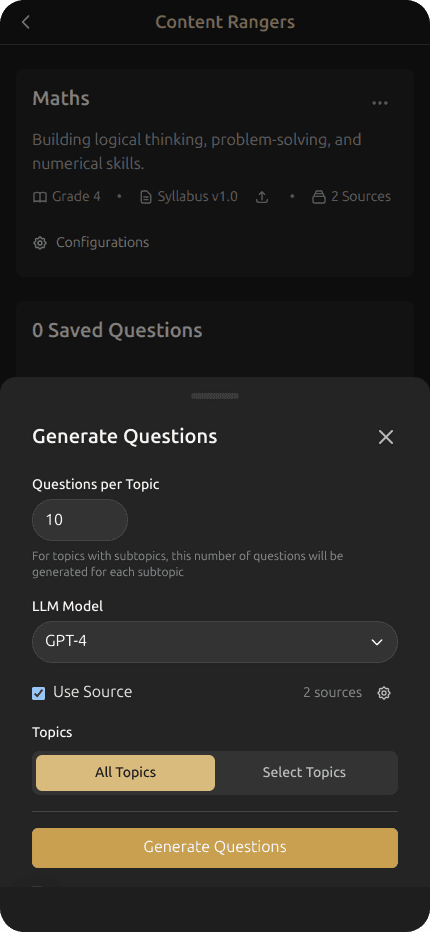
Pre-Generation Confirmation
Confirmation screen before generating questions, allowing users to review settings and parameters.
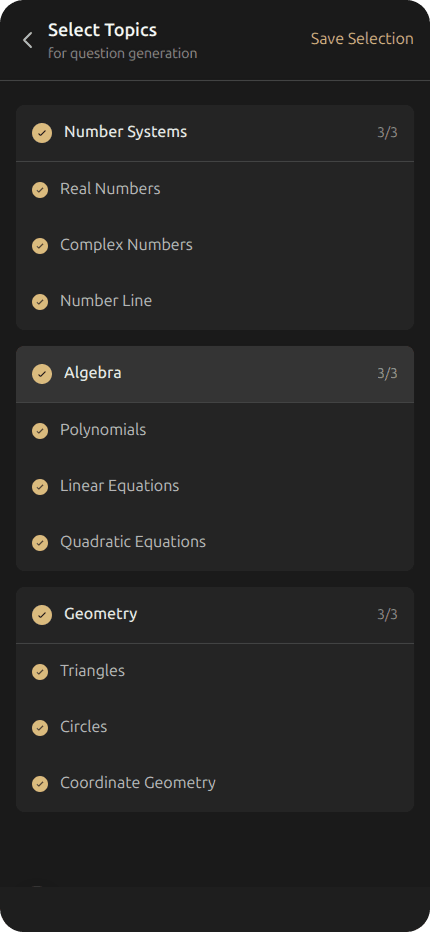
Topic Selection from Syllabus
Interactive syllabus browser for selecting specific topics to generate questions from.
Loading Screen (Pre-Generation)
Engaging loading state while AI processes and generates questions based on selected parameters.

Question Sorting Page
Interface for organizing and categorizing generated questions by difficulty, topic, or other criteria.
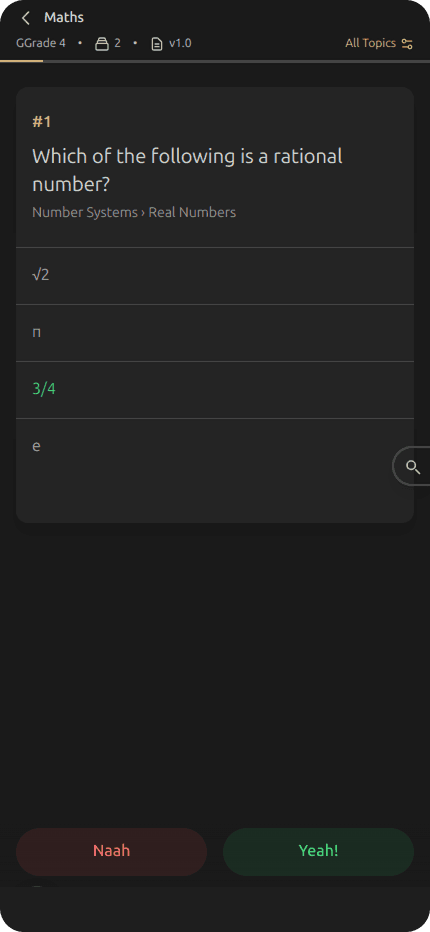
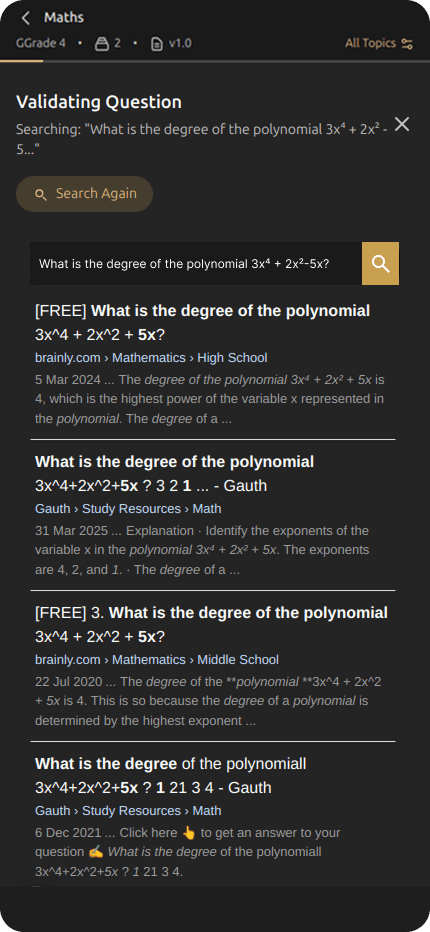
Content Validation
One-tap review interface for validating generated content with save, discard, and flag actions.
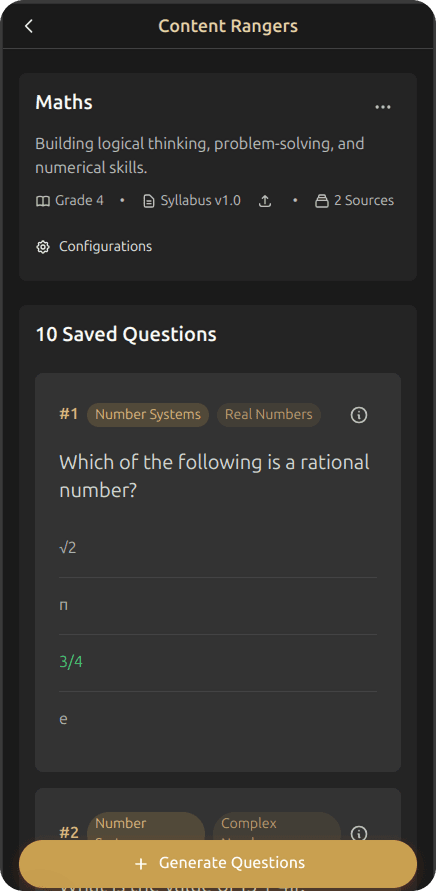
Saved Questions
Repository of all saved questions with search, filter, and management capabilities.
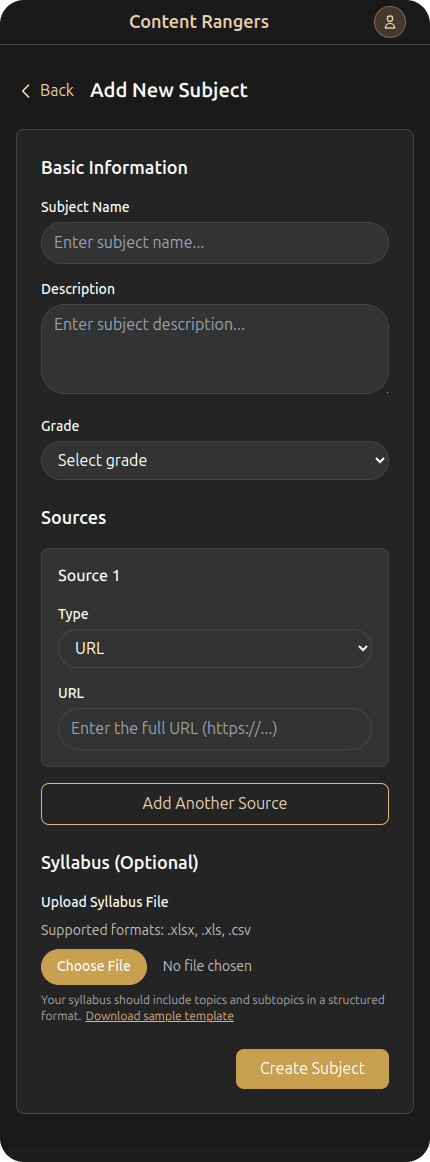
Add New Subject
Form interface for creating new subjects with syllabus structure and source material integration.
AI Quality Assurance System
To ensure the highest quality of AI-generated educational content, I developed a comprehensive prompt engineering system with multiple layers of quality control and validation.
System Prompt Architecture
The AI system uses a two-part prompt strategy with carefully crafted system prompts that establish the AI as an expert educational content creator.
Content Creation Expertise
- Clear, unambiguous question writing
- Grade-appropriate language adaptation
- Effective distractor design based on common misconceptions
Assessment Standards
- Alignment with educational objectives
- Question validity and reliability
- Balanced difficulty distribution
Database Design & Planning
Before building the application, I carefully planned the database structure with handwritten notes and relationship diagrams.
Dynamic Context Prompting
The main prompt is dynamically constructed based on provided context and includes specific input parameters for precise control.
Primary subject area and specific focus
Customized complexity and age-appropriateness
Educational material for question basis
Precise number of questions to generate
Quality Control Requirements
Each question must meet strict design standards to ensure educational value and consistency.
Each question tests different aspects, avoids duplication
Clear language, scenario-based problems, critical thinking
4 options, plausible distractors, consistent format
Comprehensive analysis of correct and incorrect answers
Output Format & Validation
The AI must return a valid JSON array with strict formatting requirements for reliable parsing and processing.
{
  "text": "Question text goes here?",
  "type": "multiple_choice",
  "options": ["Option A", "Option B", "Option C", "Option D"],
  "correctAnswer": "Option A",
  "explanation": {
    "correct": "Why Option A is correct",
    "distractors": {
      "Option B": "Why Option B is incorrect",
      "Option C": "Why Option C is incorrect",
      "Option D": "Why Option D is incorrect"
    },
    "commonMisconceptions": ["Misconception 1", "Misconception 2"],
    "relatedConcepts": ["Concept 1", "Concept 2"]
  },
  "difficulty": "medium",
  "cognitiveLevel": "knowledge",
  "topic": "Topic Name",
  "subtopic": "Subtopic Name"
}Strict JSON parsing with error handling
Required fields and data type checking
Results & Impact
3X increase in question output compared to the old process
Zero duplication in generated content through smart AI prompts
Better alignment with syllabus and grade level requirements
Faster verification and review process for content team
Replaced 3-4 tools with a single streamlined application
Significant reduction in time and effort for content creation
What I Learned
- •Taking initiative on internal problems creates real impact
- •Learned the basics of backend, APIs, and database design as a designer
- •Debugging taught me how to unblock quickly with AI + developer input
- •Better prompt logic directly improves AI output quality
- •Simple UX makes repetitive tasks easier and less tiring
- •Vibe coding gave me confidence to build and ship my own MVP
Project Status & Future
The MVP was built, tested, and validated by the content team. It has been handed over to the dev team for scalability and integration with our learning platform's admin panel, and is now used daily by the team for content creation.
Explore More Projects
Check out some of my other work

Let's Create Something
Extraordinary
I'd love to hear from you. Whether you want to connect, collaborate, or just say hello—feel free to reach out.